
Comparing your mark with the average for the same attempt shows how closely your scoring matches that of the other judges. It helps you spot when you score higher or lower, review the differences and learn from these examples.
Once the head judge approves the scores, the average score for the attempt appears in the scoring judge’s table. It is the small number in the bottom-right corner of the cell. The large number in the same cell is your own mark.
Where to find the average score
- Find the athlete’s row and the column for the attempt.
- Look at the small number in the bottom-right corner of the cell. It appears after the head judge’s approval.
On a phone, scroll the table to the right to see later attempts.
How to read the numbers
In the training example below, the judge gave the first attempt 86. After the head judge approved the scores, the average of 85.25 appeared in the bottom-right corner.
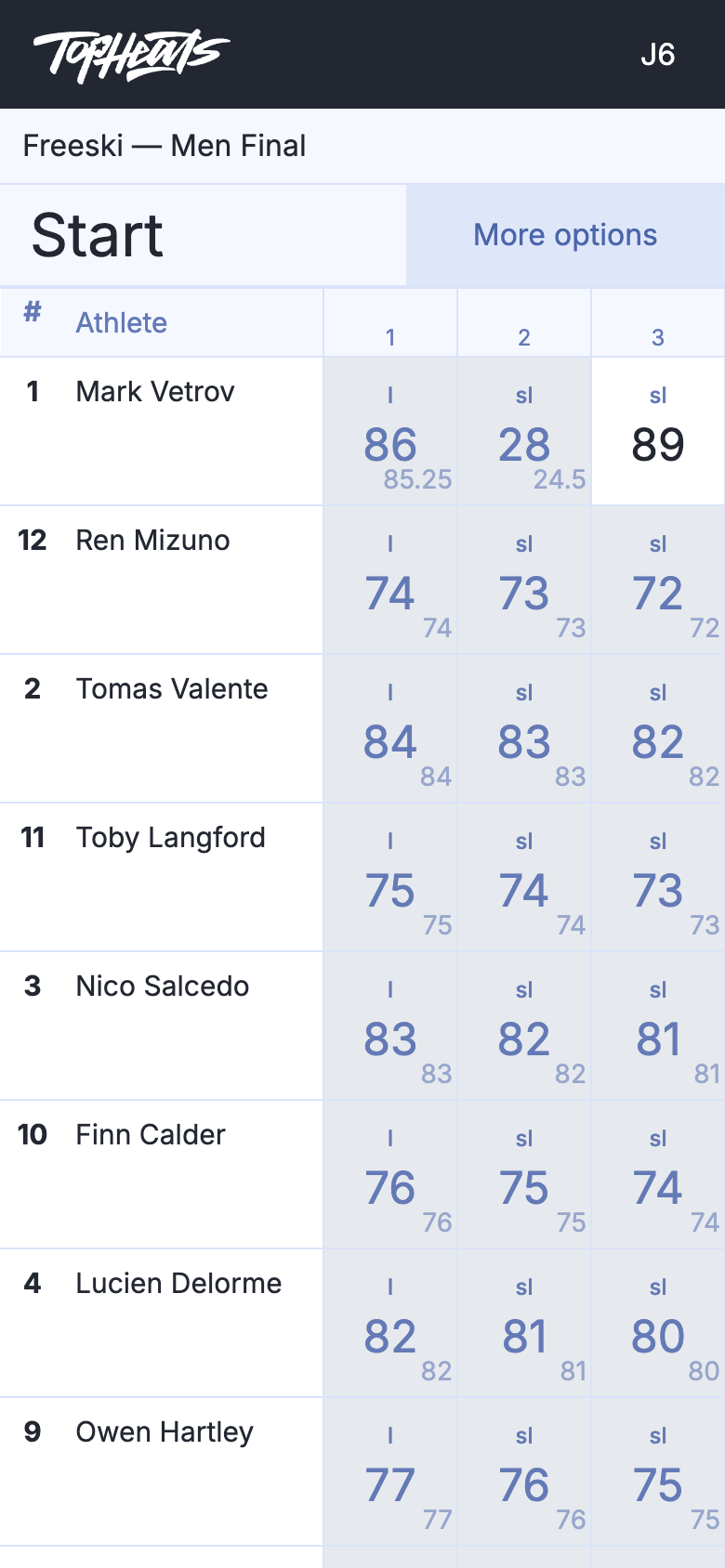
The judge gave the third attempt in the same row 89. This attempt is still awaiting approval, so its cell does not yet show an average.