
First, add athletes to the division and approve the applications you want to include. The draw uses participants in Athletes, not unapproved entries in Registration.
Seeding athletes
Select the division in the event and open Athletes.
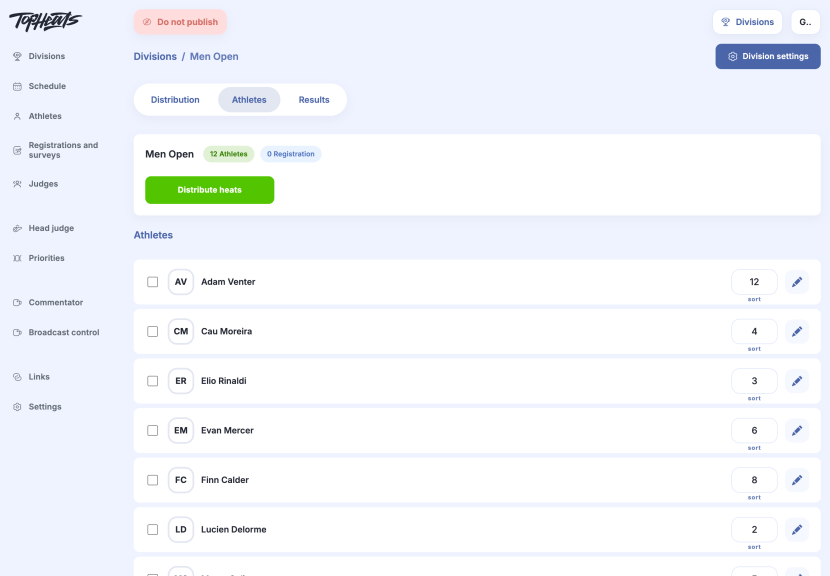
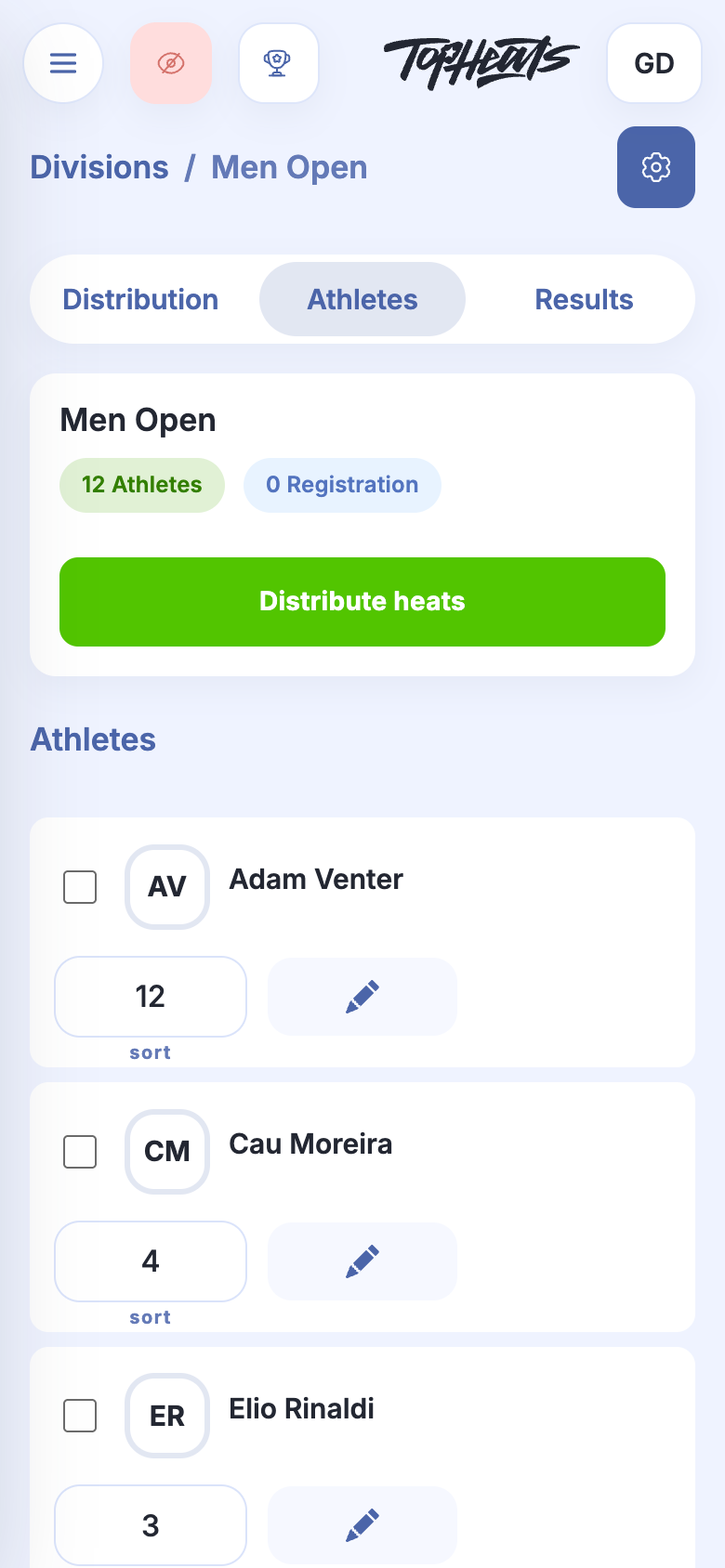
The Sort field in Athletes determines an athlete's seed: a lower number means a higher seed. The value is saved in the organisation's athlete record and used for distribution; it is not the athlete's heat number.
Building the draw
-
Click Distribute heats in the division's athlete list.
-
Check the number of athletes per heat. For the quick option, keep Percentages → 50%.
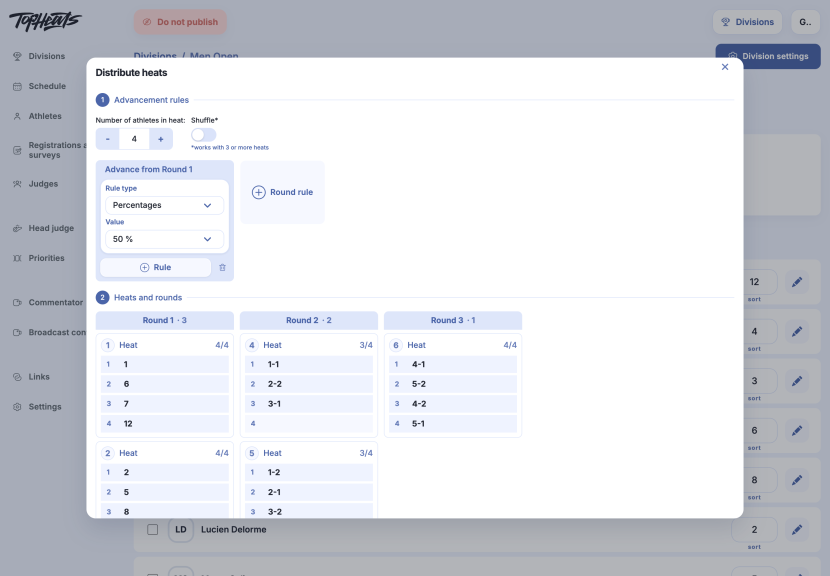
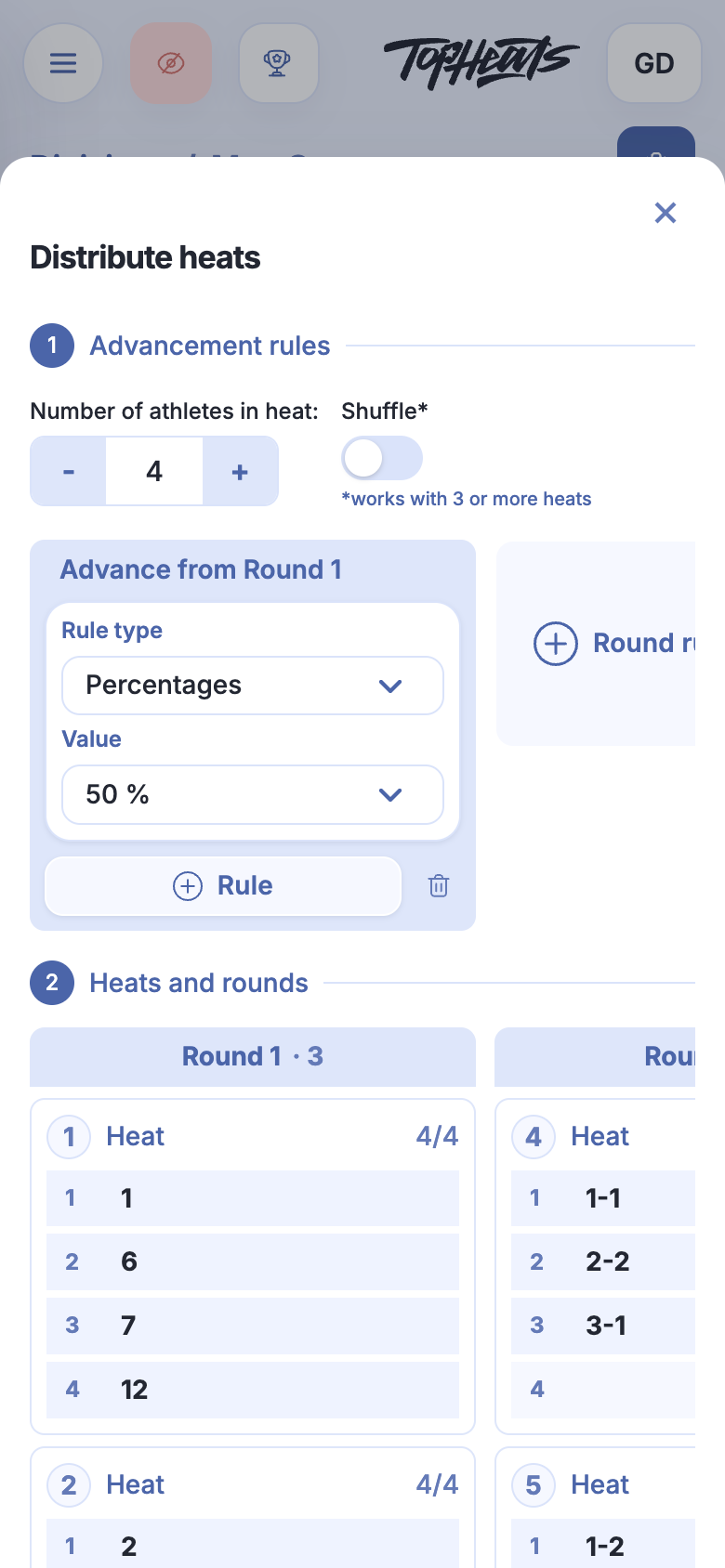
The preview shows how athletes will be distributed and who advances to later rounds. The bottom shows the athlete count, number of heats and estimated duration. The system creates rounds through to the final and the advancement links between them.
-
Click Build > to save the draw. Distribution opens with the created rounds and heats.
You can rebuild the draw while the division has no started or completed heats. The new draw replaces the previous one.
If the athlete list or seeding changes, distributing again lets the draw account for those changes. Open Distribute heats, review the preview and click Build >.